

What if your sales team could process orders faster without adding more people?
Most businesses think delays in order processing are caused by staff shortages. In my experience, that’s rarely the real problem. The biggest issue is that sales data is scattered across emails, spreadsheets, CRM records, and ERP systems.
This is where AI is changing the game.
When Microsoft Dynamics 365 CRM works seamlessly with Business Central, AI can help automate order validation, data entry, inventory checks, and customer communication. The result isn’t just faster order processing—it’s fewer mistakes, happier customers, and more productive sales teams.
If you’re using Dynamics 365 CRM and Business Central, this article will show you practical ways to make your sales order process smarter with AI.
Why Intelligent Sales Order Processing Matters
A typical sales order journey involves multiple manual steps:
- Capturing customer requests
- Checking pricing and discounts
- Validating inventory
- Creating orders in ERP
- Following up on approvals
- Updating customers
Each manual touchpoint creates opportunities for delays and errors.
I’ve seen businesses lose valuable time simply because sales representatives had to re-enter information already available in CRM. AI eliminates much of this repetitive work and allows teams to focus on selling rather than administration.
Step 1: Start with Clean CRM Data
Before introducing AI, make sure your Dynamics 365 CRM data is reliable.
Focus on:
- Standardized customer records
- Accurate product catalogs
- Consistent pricing structures
- Valid contact information
AI is only as effective as the data it analyzes. Poor-quality CRM records often produce poor automation results.
A simple audit of your customer and product data can significantly improve AI performance.
Step 2: Use AI to Capture Orders Automatically
One of the easiest wins is automated order capture.
Instead of manually creating sales orders from emails, AI can:
- Extract customer information
- Identify requested products
- Recognize quantities and pricing
- Create draft orders automatically
Sales representatives simply review and approve.
This approach can reduce processing time from several minutes to a few seconds per order.
Step 3: Connect Dynamics 365 CRM with Business Central
Many organizations still operate CRM and ERP separately.
In my opinion, this is where the biggest inefficiencies occur.
When Dynamics 365 CRM and Business Central are connected:
- Customer information stays synchronized
- Sales opportunities become orders faster
- Inventory availability is visible to sales teams
- Financial data remains accurate
AI becomes significantly more powerful because it can analyze information from both systems rather than working in isolation.
Step 4: Let AI Validate Orders Before Submission
Order errors often lead to customer complaints and delayed deliveries.
AI can automatically check:
- Product availability
- Customer credit limits
- Duplicate orders
- Incorrect pricing
- Missing information
Instead of discovering issues after submission, users receive recommendations before the order reaches operations.
This proactive approach improves both efficiency and customer satisfaction.
Step 5: Use AI Insights to Prioritize Orders
Not every order requires the same attention.
Modern AI tools can identify:
- High-value customers
- Urgent orders
- Repeat purchasing patterns
- Potential upsell opportunities
- At-risk accounts
This allows sales managers to focus resources where they generate the greatest business impact.
The goal isn’t simply automation—it’s smarter decision-making.
Quick Wins You Can Implement Today
If you’re just starting your AI journey, begin with these practical improvements:
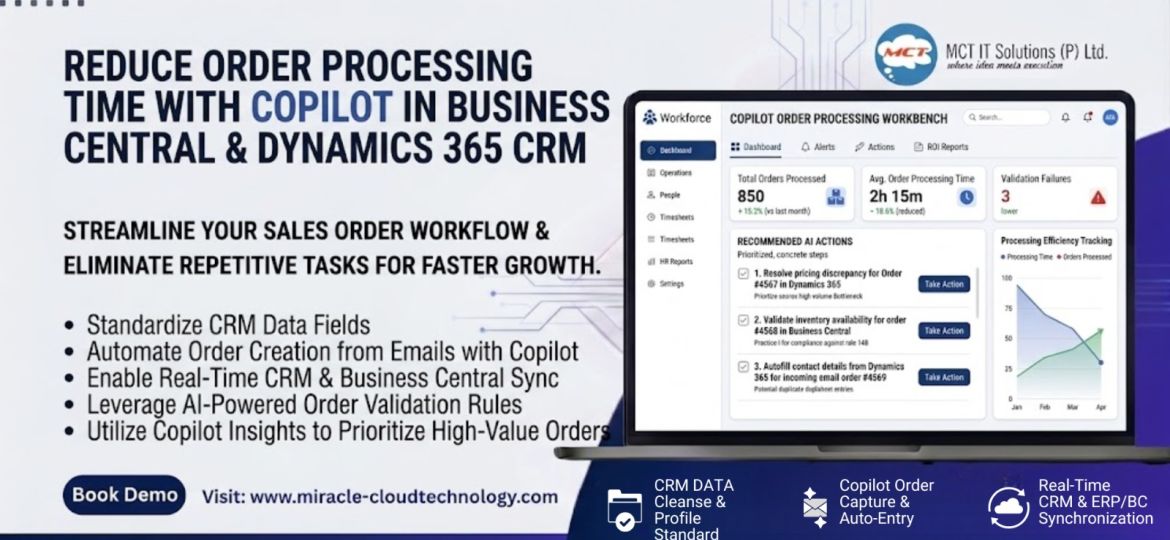
✅ Standardize CRM data fields
✅ Automate order creation from emails
✅ Enable CRM and Business Central synchronization
✅ Use AI-based validation rules
✅ Monitor order processing times monthly
Small improvements often create significant operational gains when applied consistently.
Conclusion
Intelligent sales order processing isn’t about replacing sales teams. It’s about removing repetitive tasks that slow them down.
By combining AI, Dynamics 365 CRM, and Business Central, businesses can process orders faster, reduce errors, and create a better customer experience. The companies seeing the biggest results are not necessarily investing in complex AI projects—they’re focusing on practical automation opportunities that deliver immediate value.