
Introduction
Your customers are already talking about your business on social media—the real question is, are you listening from your CRM?
For many organizations using Microsoft Dynamics 365 On-Premise, social conversations remain disconnected from customer records, leading to missed opportunities, slower responses, and fragmented communication. In my experience, social engagement becomes truly valuable only when it’s integrated directly into your CRM workflow. This blog shares practical ways to bring social interactions into Dynamics 365 On-Premise, helping sales, marketing, and customer service teams respond faster, collaborate better, and create a more connected customer experience.
Why Social Engagement Matters
Customers expect businesses to respond quickly, whether they contact you through WhatsApp, LinkedIn, or X (Twitter). Managing these conversations separately creates delays and increases the risk of losing valuable leads.
Bringing social engagement into Dynamics 365 creates a single source of truth where every customer interaction is recorded and accessible.
Step 1: Centralize Every Customer Conversation
The first improvement is eliminating scattered communication.
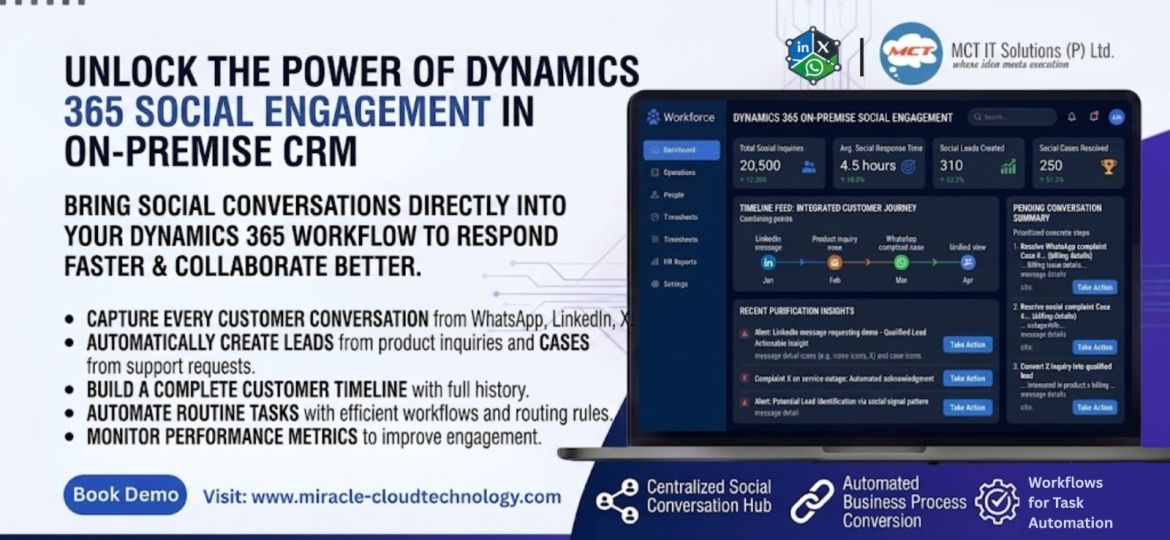
Connect your social channels directly with Dynamics 365 so every conversation appears inside CRM. This gives your team one place to monitor, respond, and collaborate without switching between multiple applications.
Practical Tip: Assign a dedicated queue for social inquiries to improve response times.
Step 2: Turn Conversations into Business Opportunities
Not every social message is just a conversation—it could be your next customer.
Configure your CRM to automatically create Leads from product inquiries and Cases from customer support requests. This ensures every interaction enters your business process immediately.
Example: A LinkedIn message requesting a product demo automatically becomes a qualified lead for your sales team.
Step 3: Build a Complete Customer Timeline
A customer relationship doesn’t begin with a phone call—it often starts with a social message.
Recording every interaction within CRM creates a complete communication history that helps sales and service teams understand customer needs before responding.
This context leads to better conversations and stronger relationships.
Step 4: Automate Routine Tasks
Automation is where real productivity gains happen.
Use Dynamics workflows to:
- Route conversations to the right team
- Send instant acknowledgment messages
- Create follow-up activities automatically
- Notify managers about high-priority cases
Small automations can save hours of manual work every week.
Best Practices for Better Social Engagement
From my perspective, organizations get the best results when they:
- Make CRM the primary communication hub.
- Standardize response templates for common questions.
- Monitor response time and lead conversion regularly.
- Review social engagement reports to identify customer trends.
- Continuously refine workflows based on team feedback.
Technology alone doesn’t improve engagement—well-designed processes do.
Why On-Premise Organizations Need the Right Solution
Many businesses continue using Dynamics 365 On-Premise because of security, compliance, and data control requirements.
The right social engagement solution should respect those priorities by keeping customer interactions within your infrastructure while delivering the convenience of modern communication channels.
That combination allows organizations to modernize customer engagement without compromising governance or control.
Conclusion
Social engagement is no longer an optional capability—it’s an essential part of delivering exceptional customer experiences. By integrating social conversations directly into Dynamics 365 On-Premise, organizations can improve efficiency, strengthen customer relationships, and uncover new business opportunities.